
How to Search the Oscoda County Court Docket
Start an Oscoda County docket search at MiCOURT Case Search, the state's public case-history service. One warning first. Pick the Oscoda location rather than trusting a broad 23rd Judicial Circuit hit. That circuit covers more than one county. A ticket, order, or court notice usually names the court and the case number. Without those, a careful name search can still turn up a public case history.
Treat MiCOURT results as informational, not the official record. The strongest first result shows the Oscoda County court, the case number and type, the filing date, the status, and dated entries. Keep all of that in hand before calling an Oscoda County court office. Then ask for a document. A shared last name alone proves nothing.
- Open MiCOURT and accept its public-search terms.
- Choose 23rd Circuit Court, 81st District Court, or Oscoda County Probate Court as the notice requires.
- Search by year, number, and type, or begin with the last name or business field.
- Compare the court, case type, filing date, and status before opening the details.
- Read dated docket entries and the next event, then request an official copy from the proper clerk when needed.
Note: MiCOURT limits bulk use and does not promise a public document image for every Oscoda County docket entry.
MiCOURT Oscoda County Docket Search
MiCOURT offers two main routes for an Oscoda County docket search. Use the name panel. It starts with Last Name or Business. From there it narrows by first name, middle name, and birth year. The number panel instead takes Year, Number, and Type. Michigan's official documentation also lists filters for status, category, court year, date range, judge, and balance. The public screen may show fewer controls.
| Field | Oscoda County use | Caution |
|---|---|---|
| Court location | Choose the specific Oscoda trial court. | The 23rd Circuit has other county locations. |
| Last Name or Business | Start a name search. | This is the required starting field for that route. |
| Year, Number, Type | Use the values from the court notice. | Type codes are court-specific. |
| Status and dates | Narrow a broad list when available. | Closed status alone does not explain the result. |
The official MiCOURT search reference explains why court and case type matter as much as a name when you run a case lookup. Confirm any Oscoda County result against the notice or the court itself before counting on it for a hearing date, a document request, or a full history.
Oscoda County's official homepage posts the court-contact details.
Once the court is known, that county homepage helps confirm the right Oscoda County office.
What a Court Docket Shows
An Oscoda County court docket has a second name in records-request language. It is also called a register of actions. Think of it as a running index, not the whole file. When the court publishes them, MiCOURT shows header data, parties, charges or case category, entries, settings, disposition, and financial fields. An entry saying an order was filed does not mean the signed order is online.
Read an Oscoda County register in date order. A later entry can change what an earlier setting meant. After a hearing, look for an adjournment, a waiver, a result, or a new date. Status helps, but the actual disposition or judgment tells you the outcome.
| Case number | The court identifier. MiCOURT uses year, number, and type fields; no verified Oscoda-only sample format was found. |
|---|---|
| Parties and type | Public roles and a category such as criminal, civil, traffic, domestic, or probate. |
| Register entries | Dated filings, notices, motions, orders, and results. |
| Settings | Event type, date, time, room, judge, and later result where available. |
| Disposition | The recorded outcome, such as a plea, dismissal, judgment, default, or verdict. |
On an Oscoda County docket, a motion asks the court to rule, while an order is the court's actual direction. A certified copy is clerk-authenticated, not a printout from a public search.
Oscoda County Court Docket Functions
Several Oscoda County court functions share the courthouse complex. It sits at 105 S. Court Street in Mio. Sharing an address does not make their dockets interchangeable. Central Filing keeps circuit records. 81st District Court staff handle district matters, and the Probate Register holds probate files. When an Oscoda County result is incomplete, the court name, type, and phone extension matter more than the street address.
The 23rd Circuit Court carries circuit civil matters and felony cases after bindover. It also holds domestic-relations records and circuit appeals. For felony criminal records, the county routing page points to Central Filing.
The official 23rd Circuit Court page describes these circuit records.
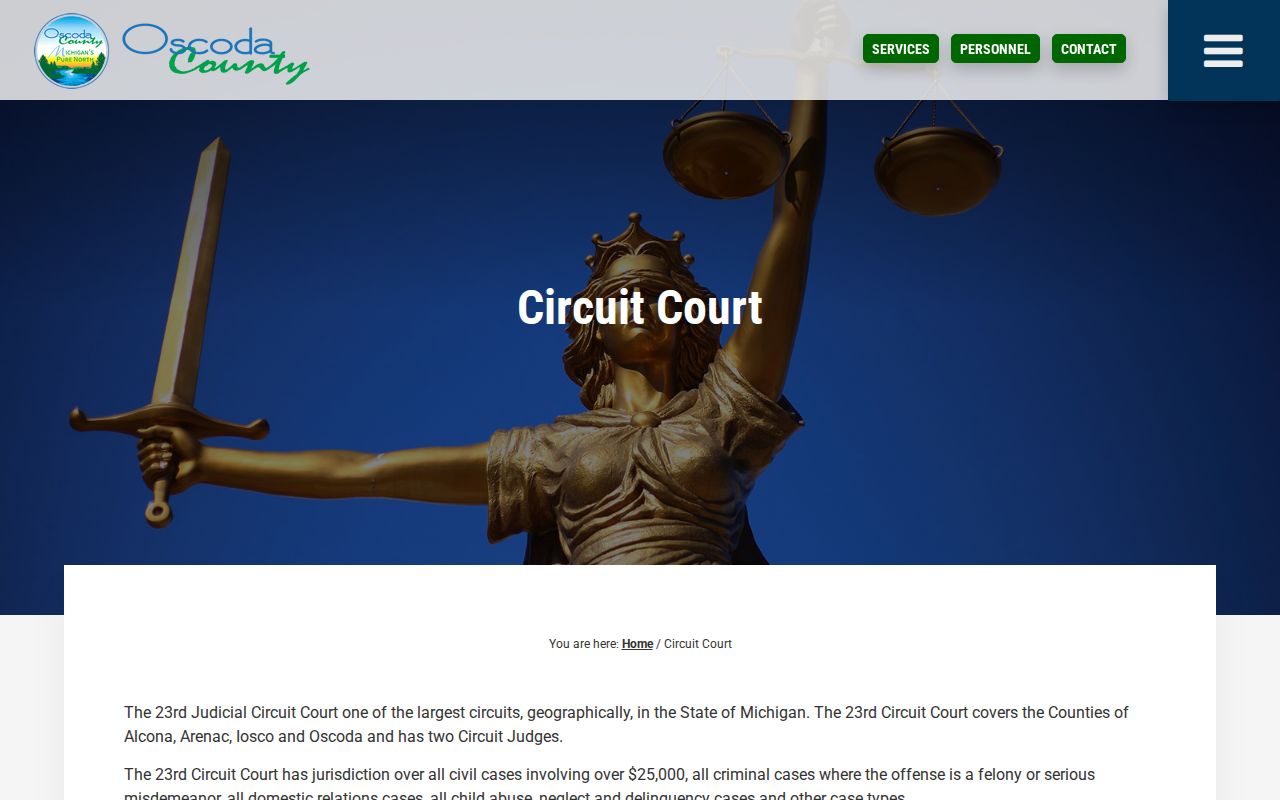
That circuit source separates an Oscoda County circuit docket from a district one before any request goes out.
Traffic matters, civil infractions, misdemeanors, small claims, summary proceedings, and preliminary felony proceedings all start in the 81st District Court.
The official 81st District Court page covers these district records.
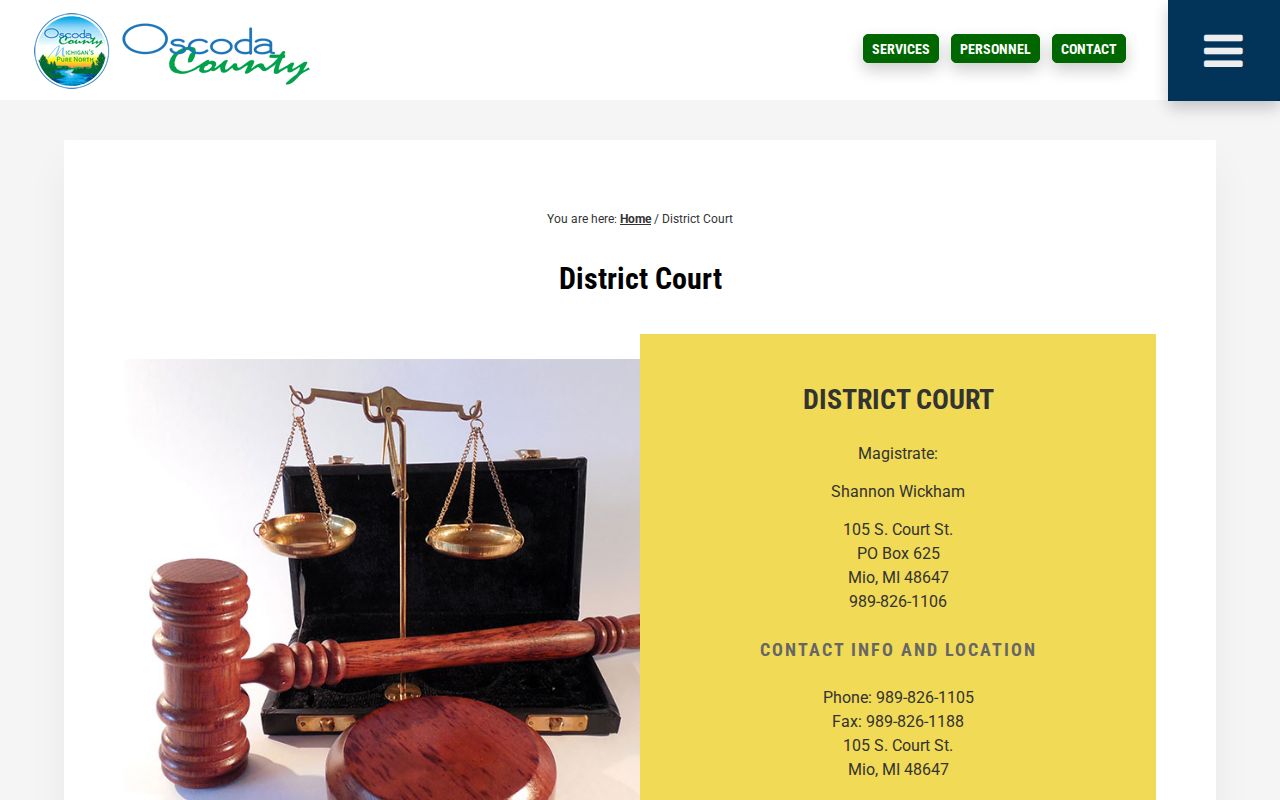
This local split keeps an Oscoda County traffic or misdemeanor request from landing with circuit staff.
Which Courts Keep Dockets
Oscoda County runs three main state-court record lanes. The 23rd Circuit Court holds general jurisdiction. The 81st District Court holds limited jurisdiction. Probate works as a separate county court function. A felony can leave entries at the district preliminary stage and later on the circuit docket after bindover. And a locality printed on a citation does not by itself create a municipal-court venue.
| Oscoda court | Docket generally covers | Records contact |
|---|---|---|
| 23rd Circuit Court | Felonies after bindover, civil claims over $25,000, family matters, and circuit appeals. | Central Filing, 989-826-1111 |
| 81st District Court | Misdemeanors, traffic, civil infractions, small claims, summary proceedings, and felony preliminary proceedings. | District Court, 989-826-1105 or 989-826-1106 |
| Oscoda County Probate Court | Estates, trusts, guardianships, conservatorships, protective proceedings, and probate matters. | Probate Register, 989-826-1159 |
For a first civil routing check, ordinary claims up to $25,000 belong in District Court, and ordinary claims above that line belong in Circuit Court. The pleadings and the actual court notice still control.
The official county routing table sorts criminal-record requests between courts.
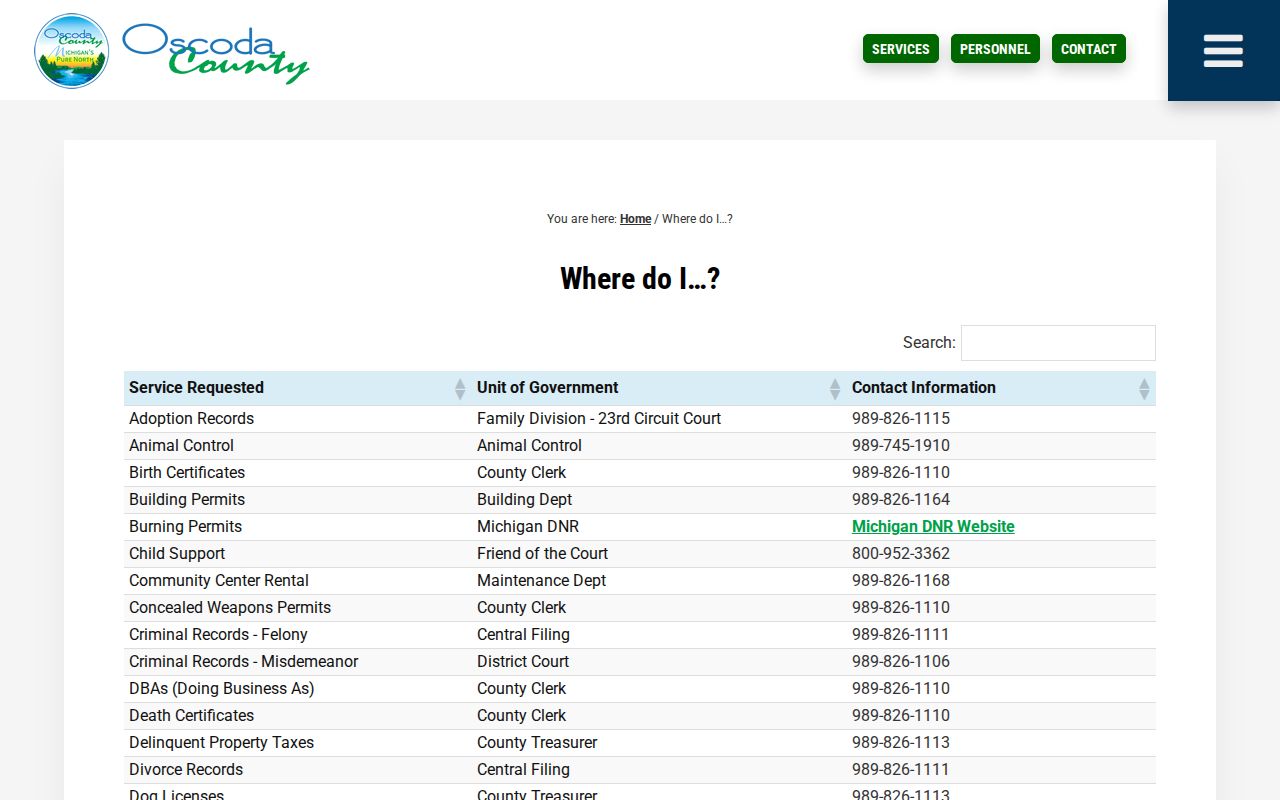
That routing table backs the practical split: Central Filing for felony records, District Court for misdemeanor records.
Oscoda County Docket Venue Checks
Oscoda County has six townships and no incorporated cities or villages. Mio is the county seat. But as an unincorporated community, it is not a municipal-court jurisdiction. So a citation naming Mio, a township, or another community still needs to be matched to the court printed on the notice.
The county township list names Big Creek, Clinton, Comins, Elmer, Greenwood, and Mentor. Township permits, minutes, zoning files, and other local-government records are not court dockets by default. Begin any Oscoda County court search with the court and case number.
The official township list covers these localities.
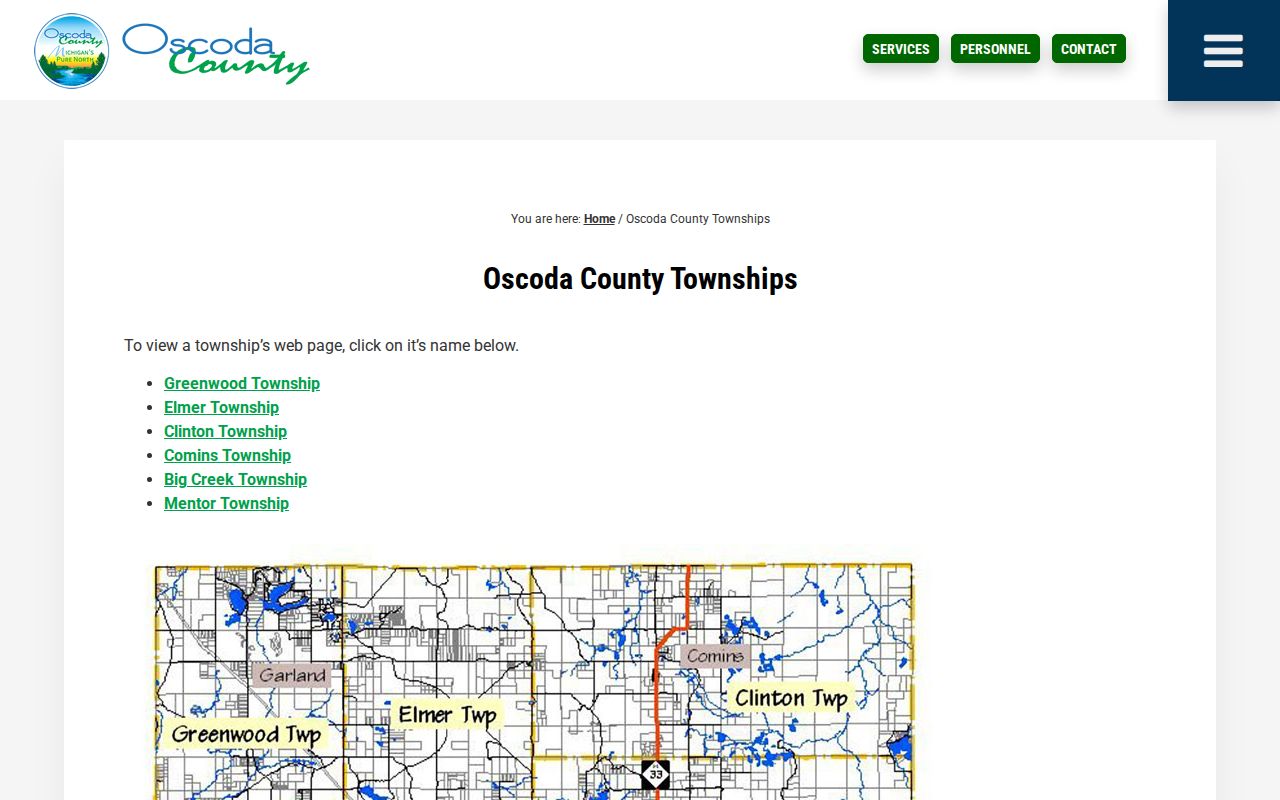
That township list supports the county-wide court approach and rules out a separate Mio or township court docket.
Finding Court Dates and Settings
Start with the paper in your hand. A citation, summons, hearing notice, or signed order from Oscoda County beats any online guess. It tells you your court date directly. MiCOURT lists a next event plus dated register activity. The public Court Display adds party name, time, room, and case number. Each tool does one job. A calendar row is only a snapshot of one moment, never the full case file. For a step-by-step confirmation routine, see the Oscoda County court calendar. You can also call: Circuit Scheduling and Transcripts at 989-826-1122. Central Filing is 989-826-1111, District Court is 989-826-1105, Family Division scheduling is 989-826-1166, and Probate is 989-826-1159. Remember that a scheduled date proves nothing by itself. Later docket entries can show a reset, continuance, waiver, or result.
Oscoda County Court Calendar Rows
The MiCOURT Court Display lays out a public calendar. Columns show Party Name, Time, Room, and Case Number. Find your Oscoda County row and write the case number down. Then check the case history or ask the clerk about the current setting. No calendar row replaces a signed order or a later docket entry.
- Setting
- A date and time placed on a court calendar for an event.
- Continuance or reset
- A change that moves a hearing to another date.
- Pretrial conference
- A case-management setting before trial.
- Disposition
- The docketed outcome, such as dismissal, judgment, plea, or verdict.
Oscoda County posts no standalone daily or weekly docket PDF. Use the Court Display when it is available. Confirm any important hearing date with the specific court before you travel. The official county directory is the source for this clerk-and-scheduling image. The directory lists each court office. It gives current contact information.
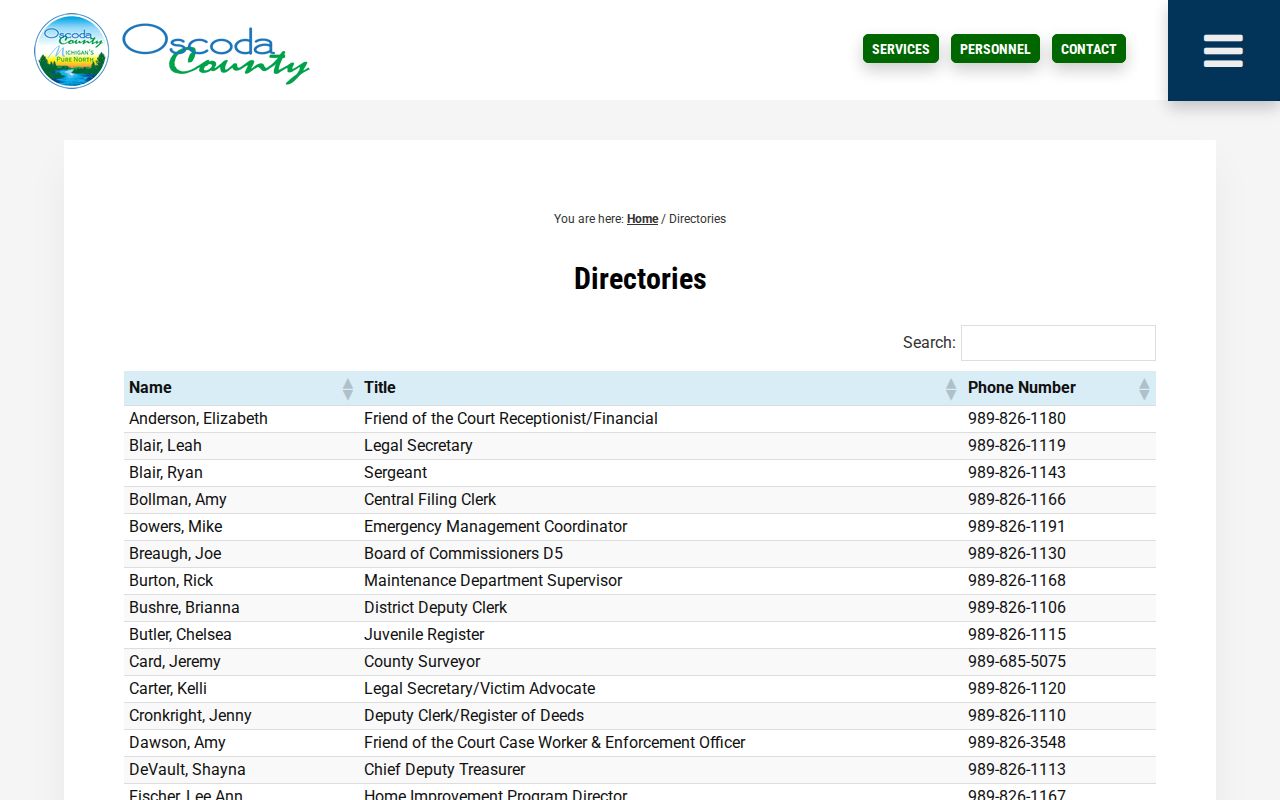
The official directory separates Oscoda County scheduling and record contacts by court function.
Public Access to Dockets
Michigan Court Rule 8.119 makes case records public in most situations. You can inspect and copy them unless a statute, rule, or court order restricts access. A court may charge for reproduction. It may not charge simply for viewing public case history. MiCOURT works well as an index. The court of record still controls official copies. It also answers questions about an Oscoda County docket.
Michigan access rules: MCR 8.119 governs public court-file access and copies. MCR 1.109 protects specified personal information. MCL 712A.28 restricts many juvenile records.
Some information stays protected: dates of birth, Social Security numbers, driver-license or state-ID numbers, passport numbers, and financial-account numbers. A public docket search may return a redaction, a restriction, or nothing at all. That never justifies turning to unofficial record sources.
Oscoda County Restricted Docket Results
A missing Oscoda County result can mean several things. The court could be wrong, the spelling off, the file old, the public display filtered, or the case type restricted. MiCOURT keeps several case types out of public results. Juvenile and child-protective proceedings, adoption, mental-illness matters, PPO matters, wills, and other protected categories are all excluded from ordinary results.
Criminal visibility shifts when a felony moves from District Court to Circuit Court. For cases bound over on or after July 2, 2024, MCR 8.119 applies. It makes the lower-court records nonpublic. The circuit record then follows its own access rule. So a missing district entry does not mean the case vanished.
Contact an Oscoda County clerk. Or send a narrow record request asking whether public case history exists. Do not ask staff to disclose sealed, juvenile, or nonpublic information.
The Clerk and Docket Records
No single trial-court clerk holds every Oscoda County docket. 23rd Circuit Court Central Filing keeps the circuit records. District Court staff keep the district records. The Probate Register keeps the probate records. The elected County Clerk/Register of Deeds runs a separate office and is not the MiCOURT docket publisher the court pages identify.
Let the case type pick the office. Circuit civil, felony-after-bindover, domestic-relations, and appeal records belong with Central Filing. Misdemeanor, traffic, civil-infraction, district civil, small-claim, and preliminary-felony cases go to District Court. Probate cases go to the Probate Register.
23rd Circuit Court Central Filing
105 S. Court Street
Mio, MI 48647
989-826-1111
Oscoda County Circuit Court
81st District Court
105 S. Court Street
Mio, MI 48647
989-826-1105
Oscoda County District Court
Oscoda County Probate Register
County courthouse complex
Mio, MI 48647
989-826-1159
Oscoda County directory listing
The official County Clerk/Register page is the source for this office-routing image.
The County Clerk/Register page helps with county services. For an actual Oscoda County court case file, go through the trial-court staff instead.
Oscoda County Record Requests
Oscoda County Trial Courts NextRequest takes written record requests. It is not a live docket database. The form offers optional Case Number, Party Names, and DOB for Party if Case Unknown fields. Name the court, case number, document or register, date range, and whether you need a plain or certified copy.
| Requested item | Published Oscoda charge |
|---|---|
| Register of actions copy | $1 per page |
| Plain filed document or court form | $1 per page |
| Certified conviction, judgment, or filed document | $10 plus $1 per page |
| New written criminal or civil search | $10 |
The official court FAQ accepts cash, money orders, and certified checks. Personal checks are not accepted. AllPaid card payments carry a service fee. Confirm the exact document, payment method, and current fee before you send any funds. The official Friend of the Court page is the source for this family-division contact image. It lists the office's current contact details and hours.
Family-support staff serve a specialized Oscoda County court function, not a public docket-search service.
Court Dockets by City in Oscoda County
Oscoda County has no incorporated city or village court docket pages to list. The official county plan names six townships and lists Mio as an unincorporated county seat. So skip the hunt for a city-named municipal court. An Oscoda County search should follow one rule. Track whichever court is printed on the citation, order, or result.
Traffic, ordinance, civil-infraction, and misdemeanor matters usually route through 81st District Court. The exception comes when a notice names another venue. Township records may sit with the township or an agency. A trial court may not hold them. A place name alone never replaces the court and case number.
Oscoda County Docket Continuity
Oscoda County has an unusual courthouse story. A 2016 fire damaged the original courthouse beyond repair. Replacement-building work finished in 2020. None of that proves any court file was lost. But it helps explain why an older Oscoda County record may call for clerk retrieval instead of an online result. Keep your case number handy and ask staff about the availability of older filings.
County planning material describes a 568-square-mile county. It lists six townships and no incorporated municipalities, along with a seasonal-resident pattern. For people who cannot easily reach the court complex, the online, phone, mail, and written-request channels matter. None of that changes which court owns a case record, though. Have your basics ready before you call. Gather the court name, the case number, the document you need, and your reason for asking. Those basics let staff route an Oscoda County docket question without guessing from a community name, whether you reach Central Filing, District Court, or Probate.
Older cases deserve a careful request sequence. Save the court name, year, and number from the public result or notice first. Then ask what the court keeps. Options include a public register, an archived file, or a specific document available for copying. If staff want a narrow written request, state the exact date range and the copy type you need. The local fee schedule draws sharp lines. A register-of-actions copy, a plain document copy, a certified copy, and a newly compiled search are separate categories. Naming one category beats a broad request for every record tied to a name.
One more local note: a January 2026 county agenda reported a water-line incident at the Government Center. The incident affected county-meeting logistics. That was not a court-closure notice. Still, if access or a hearing setting is time-sensitive, call the specific Oscoda County court before visiting in person.
The official county history page covers the courthouse fire and the rebuilding that followed.
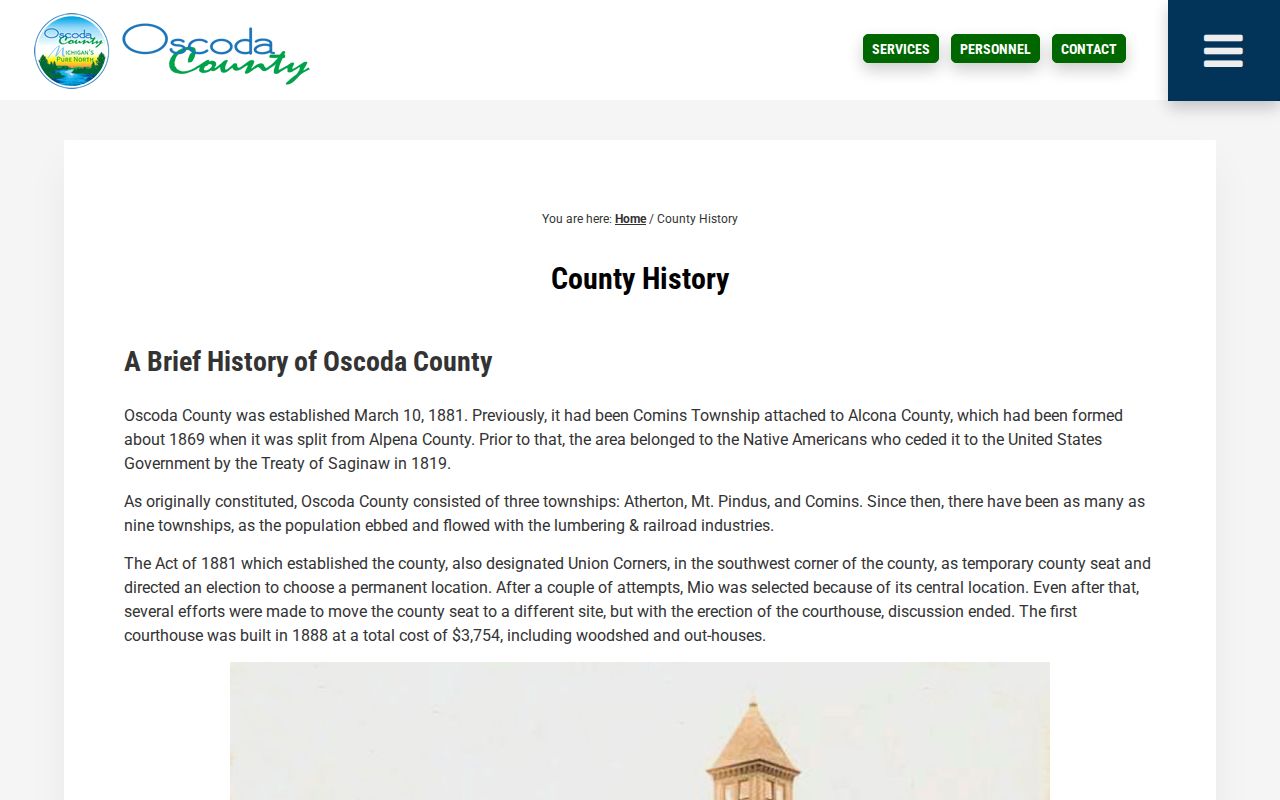
Oscoda County's past explains a lot. Local history shows why a modern docket search and a clerk-based record request can both be needed for court records today.
Map and Directions to the Oscoda County Courthouse Annex
23rd Circuit Court files are kept by Central Filing at the county court offices, 105 S. Court Street in Mio, the county seat. The 81st District Court and Probate Register also keep their offices at this same complex, which replaced the original 1888 courthouse after a May 4, 2016 fire destroyed it; the replacement building was completed in February 2020.
23rd Circuit Court Central Filing
105 S. Court Street
Mio, MI 48647
989-826-1111
Monday through Friday, 8:30 a.m. to 4:30 p.m., closed weekends
81st District Court
105 S. Court Street
Mio, MI 48647
989-826-1105
Monday through Friday, 8:30 a.m. to 4:30 p.m.
The court's FAQ says no weapons are allowed and that people, belongings, and parcels may be screened by the Sheriff's Department or a bailiff; phones and pagers must be off in the courtroom, and there is no eating, gum, beverages, or talking there. Tom Pratt, the Trial Court Administrator, serves as ADA coordinator for accessibility requests. A January 2026 water-line incident affected the Government Center's meeting logistics, so calling ahead before a time-sensitive visit is worthwhile.