
Searching Oscoda County Cases by Name
Michigan's statewide public tool is MiCOURT Case Search. It serves case history for courts across the state. Before typing a name, pick the exact Oscoda County location. A search here may reach the 23rd Circuit Court. It may also reach the 81st District Court or the Oscoda County Probate Court. The circuit spans several counties, so a match under its broad umbrella proves little on its own. Check location and case type before treating a name hit as the right Oscoda County docket.
- Open MiCOURT, accept its terms, and select the court location for the Oscoda County matter.
- For a name route, enter the required Last Name or Business field. Add a first name, middle name, or birth year only when it helps narrow the match.
- Review court, case number, case type, file date, status, and the matching participant.
- Open case details and read the dated case history rather than relying on a result row alone.
Fewer fields at the start can save a search. Extra details like a middle name or birth year may differ from the public entry. That mismatch can screen out a valid Oscoda County result. Birth year is optional, a way to narrow. It is not a reason to hand over a full date of birth. MiCOURT labels its online material informational. So accuracy questions go to the court of record, not the screen.
| Field | Type | Required | Oscoda County search use |
|---|---|---|---|
| Court / location | Selector | Yes, to target a court | Choose the Oscoda location for 23rd Circuit, 81st District, or Probate. |
| Last Name or Business | Text | Yes for name route | Use the spelling on the notice, citation, or pleading. |
| First Name / Middle Name | Text | No | Useful to separate common Oscoda County names. |
| Birth Year | Numeric or text | No | Use only to narrow a match; never provide a full DOB unless expressly required. |
| Case category / status | Filter | No | Public controls can be fewer than technical documentation lists. |
Note: Write down the court location and search date beside any result. Public case history can shift after a new filing, order, or status update.
Oscoda County MiCOURT Search Fields
Every Oscoda County docket search runs on a shared vocabulary. The MiCOURT v4 reference spells it out. It offers name queries, full-name queries, and case-number lookups, with filters for case type, category, status, year, date, judge, and balances. Those are the tools a docket search can use to narrow results. But the reference is technical documentation, not a promise. The public Oscoda County interface may not show every field it lists. Work with the choices the screen actually gives you once you pick the court location.
Michigan publishes the same material in plainer terms. Its documented search reference covers the statewide words. Those are used to search and sort public case information.
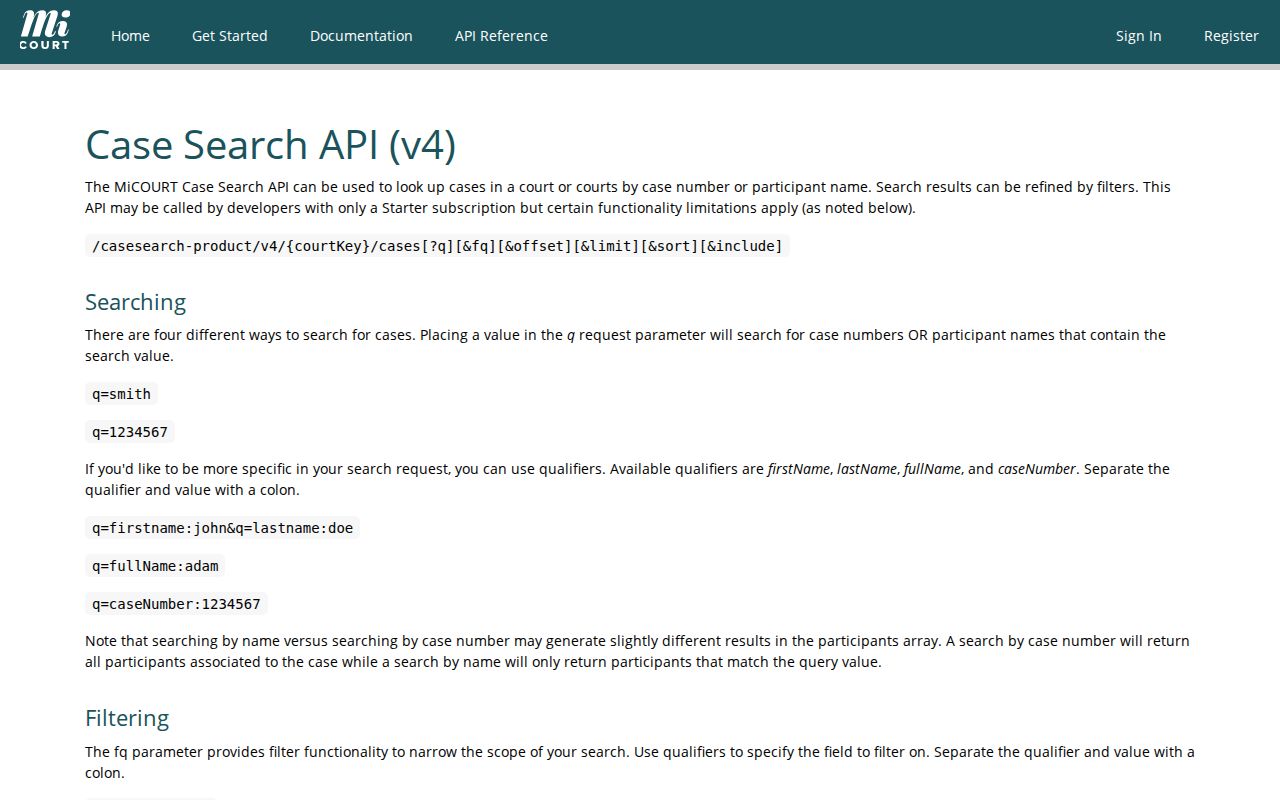
Trust the filters a returned court screen confirms. Court, year, type, and status top that list for an Oscoda County search.
Confirm the location before filtering. A broad 23rd Circuit result can pull in an adjacent county, while an 81st District or Probate selection routes to a different record set. MiCOURT adds Show and Clear controls. A court-specific route also offers Select Another Court. Those controls fix a wrong venue. They cannot turn a near match into a real one.
Searching Oscoda County Cases by Number
The case-number route in MiCOURT uses separate Year / Number / Type fields. Copy the format MiCOURT returns. Or copy the one printed on an Oscoda County notice, citation, or docket sheet. Never invent a type code from a charge description. Skip samples borrowed from other Michigan courts too.
Year is the four-digit piece the interface shows. Number is the sequence portion. Type depends on the court. If a case number returns nothing, check each part against the notice. Confirm whether the matter sits in 23rd Circuit, 81st District, or Probate. Then ask the right clerk to verify a public case history. A transferred felony can carry early District Court activity and later Circuit Court activity.
Note: A case number identifies a file better than a name does. Still, an older, restricted, or nonpublic file may return no public MiCOURT result at all.
Oscoda County Court Filter First
Oscoda County has three practical search destinations. The 23rd Circuit Court keeps the circuit record for felonies after bindover, major civil matters, domestic relations, and circuit appeals. The 81st District Court is the entry point for misdemeanors, traffic, civil infractions, small claims, and preliminary felony proceedings. Probate maintains its own matters. Court selection is a substantive part of an Oscoda County case search, not a cosmetic filter.
The developer-facing case-search documentation also distinguishes category, status, date ranges, and judicial filters. Public display can be narrower. A closed status tells a searcher that the case is no longer active in that status field, but it does not state the legal outcome by itself. Read the latest event and disposition fields when the court publishes them.
MiCOURT's public-search documentation distinguishes available query concepts from any individual court's public display.
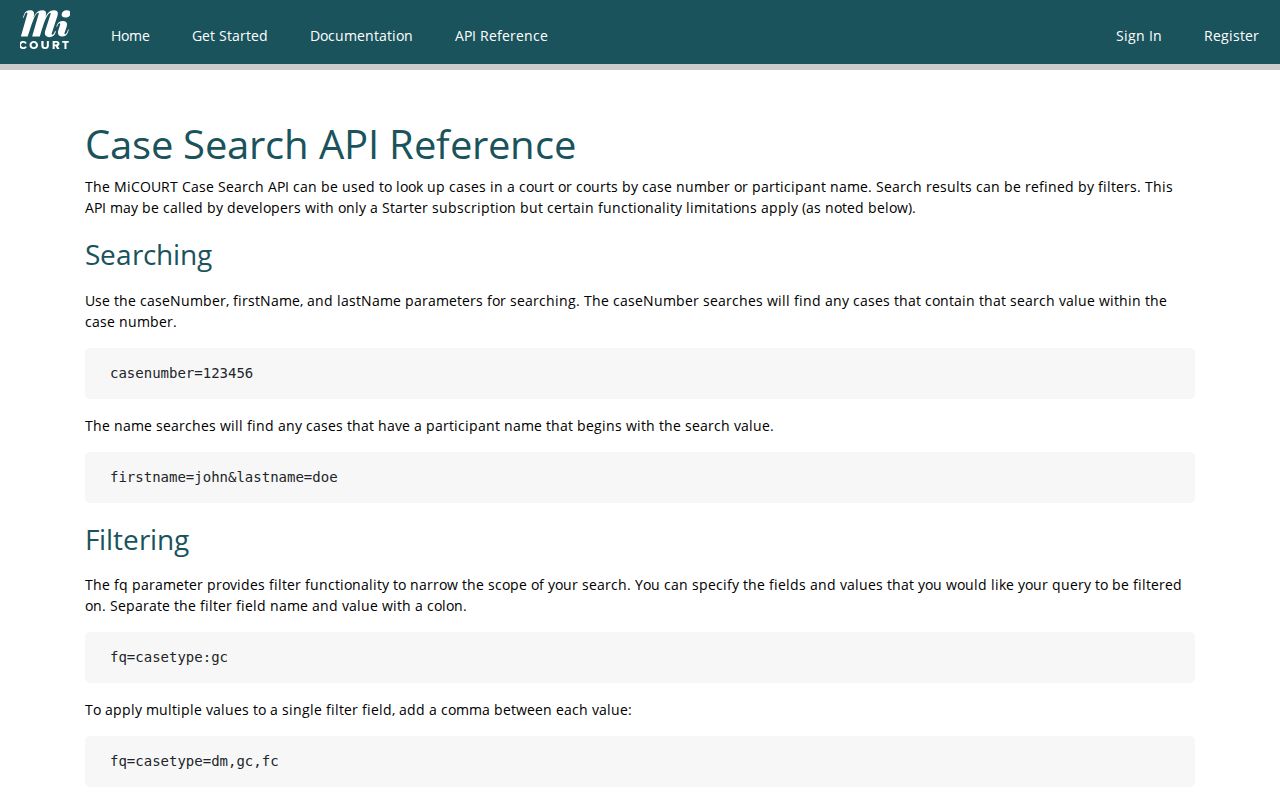
The reference supports a careful workflow for a docket search. Choose the Oscoda County court first, apply public filters only as needed, then read the actual case details themselves.
What an Oscoda County Case Search Returns
An Oscoda County result can show the court location, case number, case type, file date, parties, and status. The detail view may go further. It can publish an assigned judge, next event, attorneys, charges, financial fields, dated register entries, and disposition information. What appears depends on the court's public-status rules. One caution applies. A document link or docket event never guarantees that an image of the filing is public.
| Court location | Identifies whether the public matter is with 23rd Circuit, 81st District, or Probate in Oscoda County. |
|---|---|
| Case number / type | The court identifier and court-specific category used to distinguish the file. |
| File date / status | When the case opened and the public status, including a closed or disposed label where published. |
| Participants | Public party, attorney, or charge information when the court makes it available. |
| Case history | Dated events, descriptions, clerk or event references, and possible amount-due fields. |
| Next event / disposition | A setting, outcome, judgment, plea, or other detail when published; read it with the latest dated entry. |
A docket, also called a register of actions, indexes filings, hearings, and outcomes in time order. A disposition is simply the recorded outcome. Closed does not mean finished. A closed case may still hold a judgment, financial activity, or post-judgment entry worth a closer look. Case history helps you follow a public matter. It is still not the official court file.
Oscoda County Search and Clerk Files
Start a case hunt with MiCOURT. It gives a public view of any Oscoda County case history across the state system. Write down four things there: the court, the case number, the file date, and the document name. Those details matter, because the clerk is the office that holds the official record itself. MiCOURT does not issue certified copies or dig up older files. So plan two steps. Search first. Then ask the office that handles that type of case for the paper, image, or certified copy you need. An online event label is not the document. This order keeps the difference clear while cutting wasted calls.
| Channel | Best use | Limit |
|---|---|---|
| MiCOURT Case Search | Public Oscoda County case history, search results, settings, and visible docket fields. | Informational only; not every case or document is public online. |
| Court clerk | Official file, public inspection, plain copy, certified copy, or older record. | Correct office depends on court and record type. |
| NextRequest | Targeted written request for a register, pleading, order, or other court record. | It is a request channel, not a live case database. |
The official MiCOURT court-selection route shows the page a searcher meets first. There, you pick the court before any public case history opens for reading.
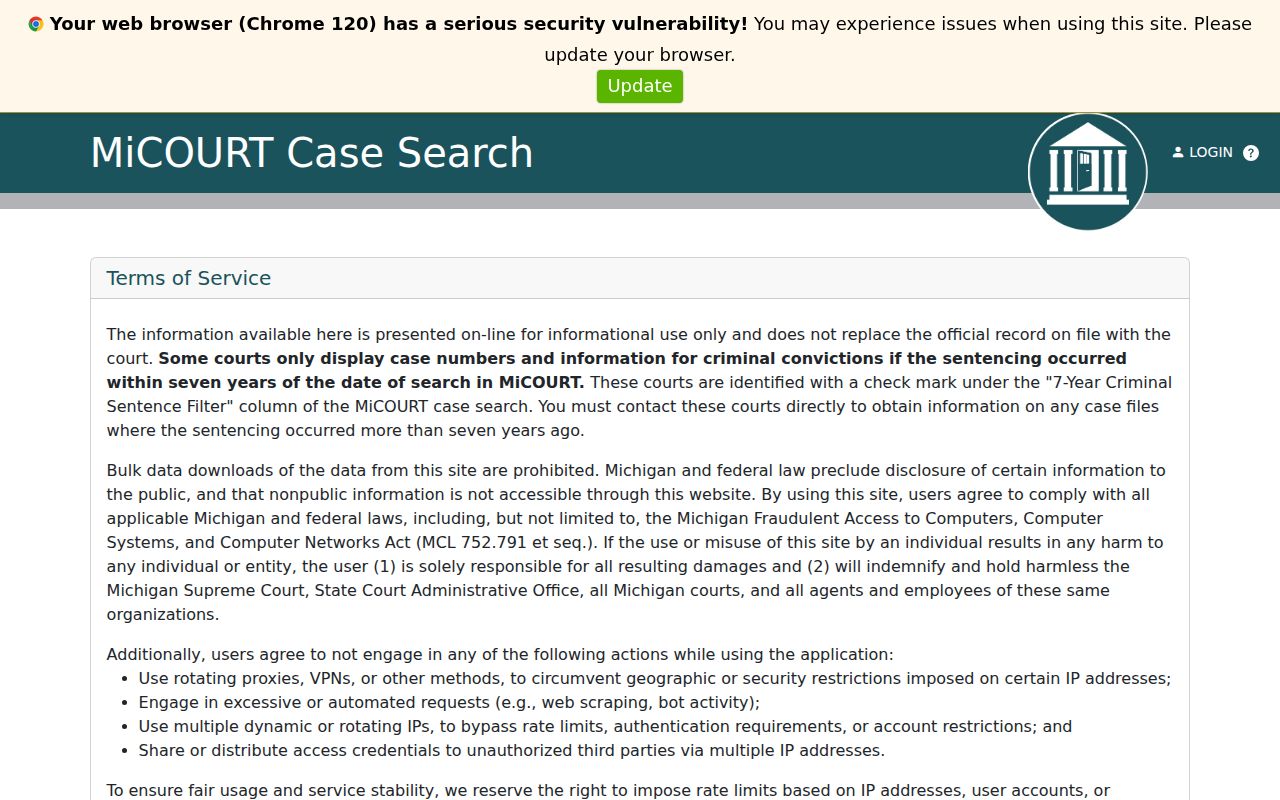
Once MiCOURT names an Oscoda County file, go to the matching clerk channel. That office is the right fallback for the official record itself.
Statewide vs Oscoda County Case Search
Oscoda County runs no separate county-level live docket database of its own. MiCOURT stands in as the public statewide search layer for Oscoda County cases. For county-level help with a record request, a copy, or a question about a file, the local court offices handle that side. So does the Oscoda County Trial Courts NextRequest portal. The two routes work as a pair. MiCOURT locates a published public history. The clerk and the portal reach the office itself when that history falls short or you need an actual document.
| MiCOURT statewide search | Oscoda County clerk or NextRequest |
|---|---|
| Searches published Michigan trial-court case information by location, name, or number. | Routes a request to the court that keeps the Oscoda County record. |
| Shows public case history and visible details when the selected court publishes them. | Provides inspection, copies, certification, and an answer about the official file. |
| Best for identifying a public case and its court, number, status, or next event. | Best for an older record, an unavailable filing image, or a requested official copy. |
Check the court name on your notice first. That name picks the right Oscoda County contact every time. The county's court records information walks through the full filing history and the copy process.
Oscoda County MiFILE Is Not Search
MiFILE, also called TrueFiling, is Michigan's electronic filing environment. It serves participating trial courts and authorized users. It is not a public Oscoda County case-search tool. Whether it accepts a given Oscoda County filing depends on the court and case type. So a login screen proves nothing about what you can file online. Public case history stays a MiCOURT job. Filing questions belong with the court or with the current availability controls. The official MiFILE / TrueFiling login offers registration, password recovery, and a control that lists the available courts.
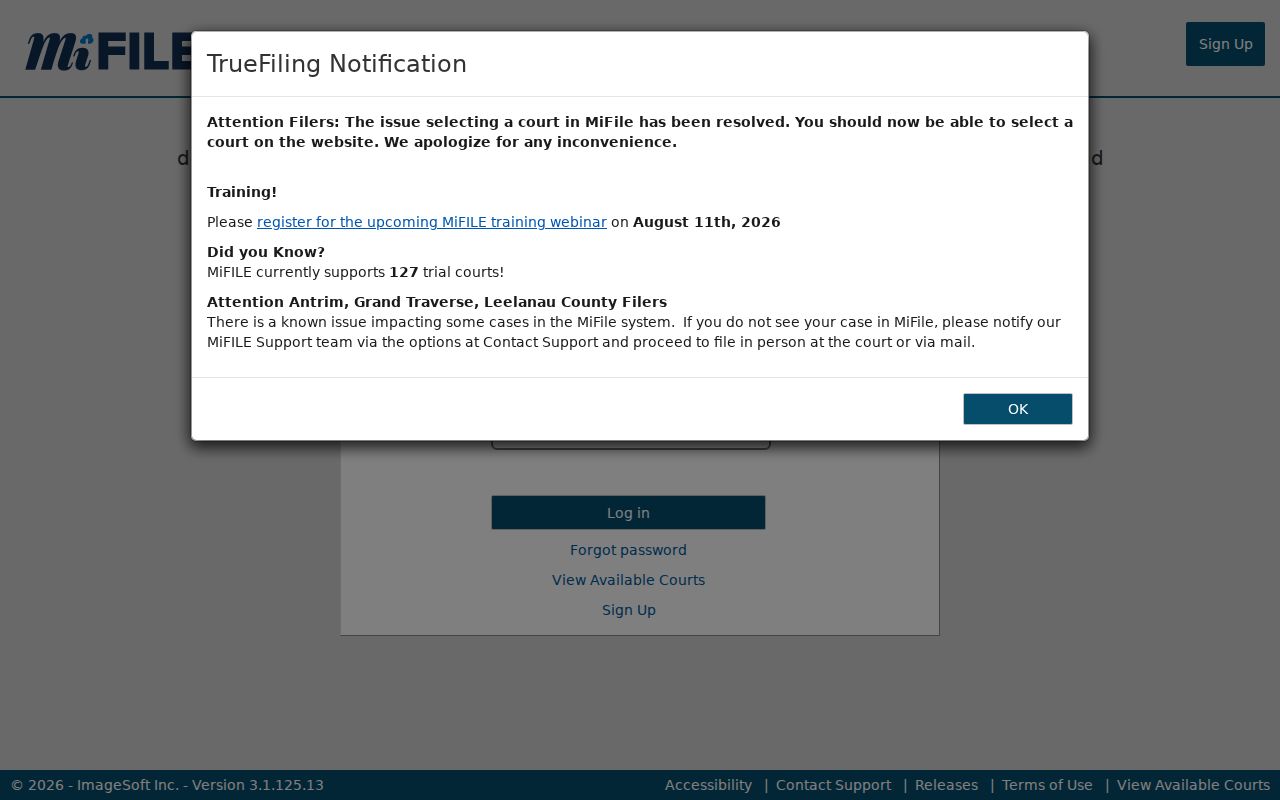
A separate login makes the split plain: filing access can require an approved role and a participating court, while a public MiCOURT search is only an informational case-history route. Check the live availability list or call the Oscoda County filing office before assuming any filing method or case type is enabled.
Oscoda County Restricted Case Access
Public MiCOURT results leave out several kinds of matters. Adoption, juvenile and child-protective proceedings, juvenile guardianship, mental-illness matters, name changes, parental waivers, personal protection orders, extreme-risk protection orders, and wills all sit outside the public view, along with other protected categories. A sealed or nonpublic record simply shows nothing. So an empty Oscoda County search never proves that no court action existed. Michigan Court Rule 1.109 shields date of birth, Social Security or national identification numbers, driver-license or state-ID numbers, passport numbers, and financial-account numbers. Public copies can be redacted. Participating courts may also apply a seven-year sentencing filter to public criminal display. An older case may seem missing. Test the court location and the spelling of names. Then contact the court of record. Skip the unofficial databases; they widen the hunt without adding authority.
Older Oscoda County Case Search Steps
When an Oscoda County case will not turn up, first ask whether it belongs at another court level. A felony can open with 81st District preliminary activity. It may move to 23rd Circuit after bindover. Call Central Filing at 989-826-1111 for circuit and family files. District, traffic, misdemeanor, and civil-infraction matters sit with the 81st District Court, which you can reach at 989-826-1105 or 989-826-1106. Probate filing and scheduling uses 989-826-1159. A written request works best when it names the court, the case number if known, the party, the date range, and the exact register, order, or pleading you need. The official NextRequest intake helps when the public case history is thin. It also covers a missing document image. Courthouse disruption has touched the county before. Also ask the clerk about archived paper, microfilm, or legacy-system records. A missing online result does not mean the file was lost.