
Oscoda County Court Calendar Sources
Not every Oscoda County court calendar source carries the same weight. The paper in your hand usually wins. A citation, summons, notice of hearing, or signed order comes first. It directly sets your court date. For a traffic civil infraction, the citation itself works as the summons. It states how to respond or appear. MiCOURT case detail ranks next. When the court publishes those fields, it can show a next event. It also gives the case status and dated docket activity.
A public calendar display and a clerk confirmation do different jobs. The display gives a current public snapshot of the docket. The clerk or scheduling coordinator can confirm a specific setting in that court. If the sources disagree, follow this order. Start with the signed order or citation. Then check the latest docket entry and case-detail next event. Next comes the court coordinator or clerk, and last the public calendar snapshot.
Date authority: A signed order or citation outranks a calendar row. A later dated case entry can also replace an older next-event listing.
The Oscoda County Court Calendar
Oscoda County publishes no standalone daily or weekly docket PDF. That gap shapes every search. No single county document lists all hearings. A court calendar comes together from other pieces instead. These include the original case papers, MiCOURT case detail, the public Court Display when one is current, and the staff at the counter. Each piece covers what the others miss.
Which court holds the case matters just as much. A 23rd Circuit Court hearing may use one scheduling contact. An 81st District Court setting, a family matter, and a probate case may each use different ones, even inside the same court complex. Check the court named on the papers before trusting any calendar result. A county or township name on a case does not create a separate city-court calendar. Oscoda County has none of those.
Oscoda County Court Calendar Display
The MiCOURT Court Display is the public calendar view. Its table lists Party Name, Time, Room, and Case Number. Those four fields are the key. They tie a public row to the right Oscoda County court calendar case. Remember what the display is not. It is a snapshot, not the full register of actions or the case file.
The view does not offer a full set of court-specific filters. Expect no judge selector, no attorney search, and no stated refresh schedule. Take the case number from a row. Pull up the case in MiCOURT. Read the case detail plus the latest dated entry. The official Court Display posts the public columns used to check a court setting.
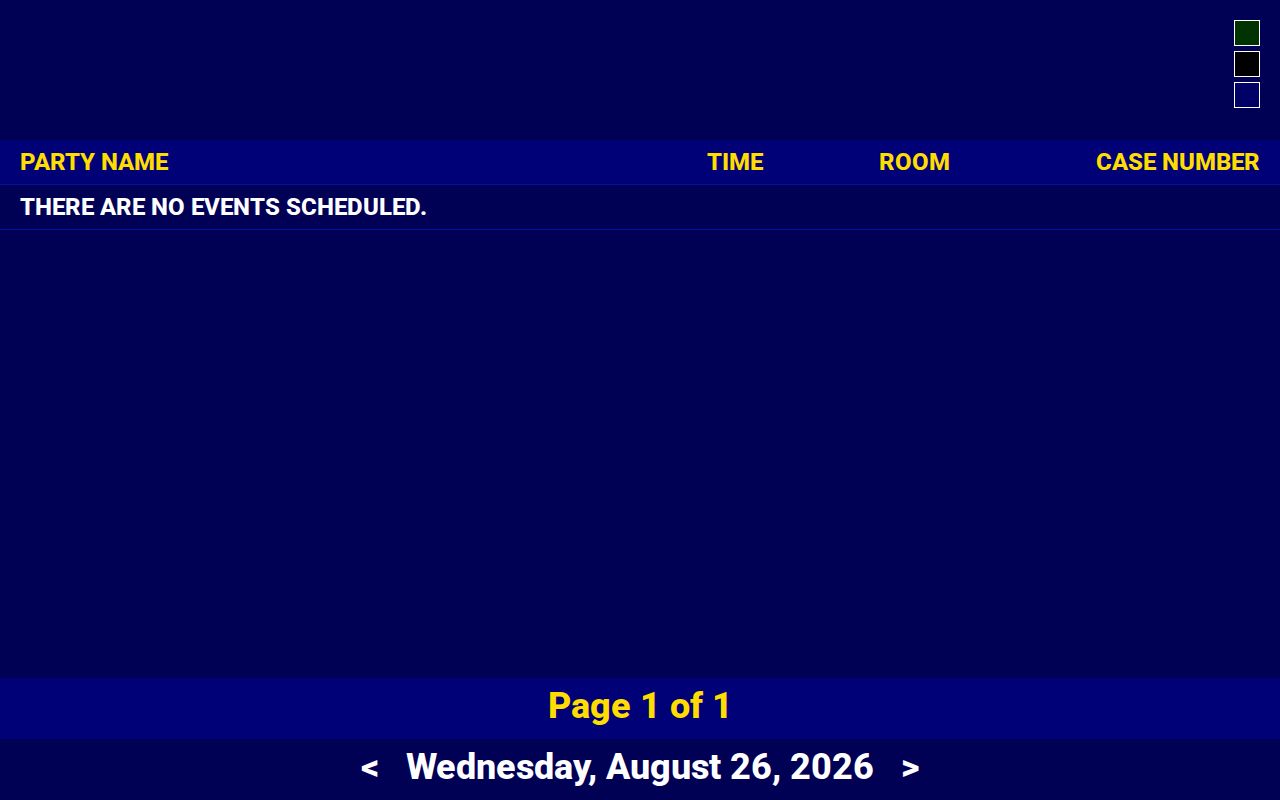
Treat the room and case number as your matching details. Then check the date against the notice and the most recent Oscoda County court docket entry.
How to Find Your Court Date
Begin with the court name and case number on your paperwork. An 81st District Court case goes through the district route. A 23rd Circuit Court case belongs with circuit records or scheduling. Probate and family settings have their own contacts. Call the office listed for that division. In MiCOURT you can search by case number using Year, Number, and Type. You can also search by a last name or business name, with an optional first and middle name.
Use every channel before trusting an older date. No official standalone Oscoda daily or weekly docket PDF exists to replace the case-specific search. A posted courthouse list can serve as a fifth source. So can a visit to the counter, when online results fall short. The county publishes no terminal details or fixed posted-list schedule. Call ahead.
- Read the citation, summons, notice, or signed order and record the court, case number, and stated date.
- Search MiCOURT Case Search by case number, or by name when the number is unknown.
- Open the case details and compare the next event with the newest dated register entry.
- Check the public Court Display for the date, room, time, and case number when a current public display is available.
- Call the correct court or scheduling contact if the case is missing, the date conflicts, or the setting is unclear.
- Ask the counter to inspect the public file or posted list if a public online result is unavailable.
- Use the NextRequest record-request channel for an older, incomplete, or document-specific setting history.
Oscoda County Court Calendar Contacts
Calendar questions go to the office that holds the case. The 23rd Circuit Court lists Circuit Scheduling and Transcript at 989-826-1122. It also lists Central Filing at 989-826-1111. The 81st District Court lists 989-826-1105, plus a district or magistrate line at 989-826-1106. Family Division scheduling is 989-826-1166. The Probate Register handles probate filing and scheduling at 989-826-1159.
Staff can confirm a setting or explain the local records route. They cannot replace the original order, citation, or case entry. Sometimes the public case history runs old. Sometimes it lacks a document. In those cases, staff can point you to the right inspection or copy-request channel.
Circuit scheduling and Central Filing
23rd Circuit Court settings, transcripts, and circuit records
989-826-1122 or 989-826-1111
81st District Court
District settings, including traffic and district civil matters
989-826-1105 or 989-826-1106
Family and Probate scheduling
Family Division and Probate Court setting questions
989-826-1166 or 989-826-1159
Reading a Court Setting
Think of an Oscoda County court calendar row as a set of fields. It is not a single date. One line may carry the party name, the time, the room, and the case number. MiCOURT case detail goes further. It lists the court, case type, status, assigned judge, next event, and a dated docket history. The notice from the court itself often states the appearance instruction most precisely.
A time and a room prove nothing about what happened. Results land in the register afterward. There you might see the event was held. It may have been adjourned, continued, waived, cancelled, reset, or otherwise resulted. Always pair the newest entry with the setting that came before it.
| Date | The scheduled calendar date. Compare it with the citation, order, and latest case event. |
|---|---|
| Time | The published time for the setting, which may be a calendar listing rather than a complete appearance instruction. |
| Courtroom or room | The public Court Display field when shown. Confirm any access detail with the court. |
| Judge or court | The court location and assigned judge where MiCOURT or the notice publishes them. |
| Setting type | Such as arraignment, pretrial, motion hearing, trial, review, or probate hearing. |
Oscoda County Court Calendar Terms
Oscoda County does not publish its own glossary of setting codes. The label printed on the case detail counts. That label is part of the Oscoda County court calendar entry itself. State court materials still help with plain meanings for common settings. A motion hearing is a request. One side has asked the court for a ruling. A status conference checks where the case stands. A pretrial conference, despite the name, is not a trial.
When a label looks abbreviated or odd, read the whole docket text. There is no local list of Oscoda County pass or reset codes to lean on. Do not guess from a statewide sample term. Ask the coordinator instead. Explain the shorthand on a live case, and get the real meaning. That call beats treating a generic code as an Oscoda County one.
- Pretrial conference
- A case-management setting before trial, used in civil or criminal matters.
- Motion hearing
- A hearing on a request for court action. The motion and later order identify the request and ruling.
- Status conference
- A court check-in on progress, discovery, settlement, or readiness.
- Review hearing
- A later setting to review compliance or case status, often in family or protective matters.
- Probate hearing
- A hearing on an estate, guardianship, conservatorship, or protective petition.
Resets, Continuances, and Cancellations
A date on the Oscoda County court calendar is only a scheduled event. It does not prove the hearing happened. A continuance or reset moves the hearing by order or other court action. An older date can stay in the historical register even after a new one is set. So trust the most recent dated docket entry, not the oldest calendar row you can see. Check any signed order too. The current next-event field counts as well.
A row can vanish too. The event may have been waived, cancelled, held, or simply resolved. The county issues no standing weather or holiday closure order. Check the court's phone message or official page. Then call the right office. One more thing: a closed building does not erase a case deadline by itself.
Note: If the docket wording is unclear, write down the exact date and contact the scheduling office to confirm what it means.
What To Do If You Miss a Setting
Start with the actual case papers and the latest Oscoda County court docket entry. Write down the court and the case number. Add the setting type and the date you missed. Then call the listed court or scheduling contact. Ask for the current status. Request any instruction the court can give. Michigan rules do describe court-controlled response and default procedures for a civil infraction. Still, the citation and notice control the deadline in your case.
A missing calendar row does not mean the hearing was reset. Never work out a new due date from a generic online page. A later order, a notice, or a clerk's confirmation may settle the question instead. A public document can be unavailable. The history can also run deep. In either case, make a targeted request for the setting record from the clerk.
Missed-setting warning: Contact the court that holds the case promptly and rely on the case-specific order, citation, and latest docket entry for the next required action.
Oscoda County Court Calendar Changes
Pick up the phone before you drive to an Oscoda County court calendar setting. Two events explain why. The county records a 2016 courthouse fire. A January 2026 water-line incident affected the Government Center.
Treat those facts as a caution only. They do not prove the courts were closed or that a hearing moved. Records may still be available even so.
The January 2026 agenda dealt with county-government meeting logistics. It noted that in-person attendance could proceed. Zoom and teleconference access was unavailable for that meeting. Court operations may be different. Confirm current hours, entrance, records-counter status, and hearing instructions with the court that issued the notice.
The Michigan Judiciary homepage posts current court rules and public-access resources for the whole state.
Statewide resources help explain access rules. Still, an Oscoda County court must confirm any local setting or building-status question.
Oscoda County Court Calendar Copies
A calendar line on the screen sometimes leaves the date question open. When that happens in Oscoda County, put the request in writing. The Oscoda County Trial Courts NextRequest portal handles written court-record requests. It is not for live docket lookups. Name the court, the case number, the parties, and the date range. Say exactly which item you need. That could be a notice of hearing, an order, the register of actions, or prior setting history.
MiCOURT case history is informational only. For an older court record, the counter still matters. A phone call and a targeted written request matter too. Use them for a missing document or a restricted result as well. The local court FAQ lists $1 per page. That covers a register of actions and a plain filed document. Check payment and copy details with the court before anything goes in the mail.
The official court FAQ posts the copy, payment, security, and transcript details. A record follow-up in Oscoda County can turn on them.
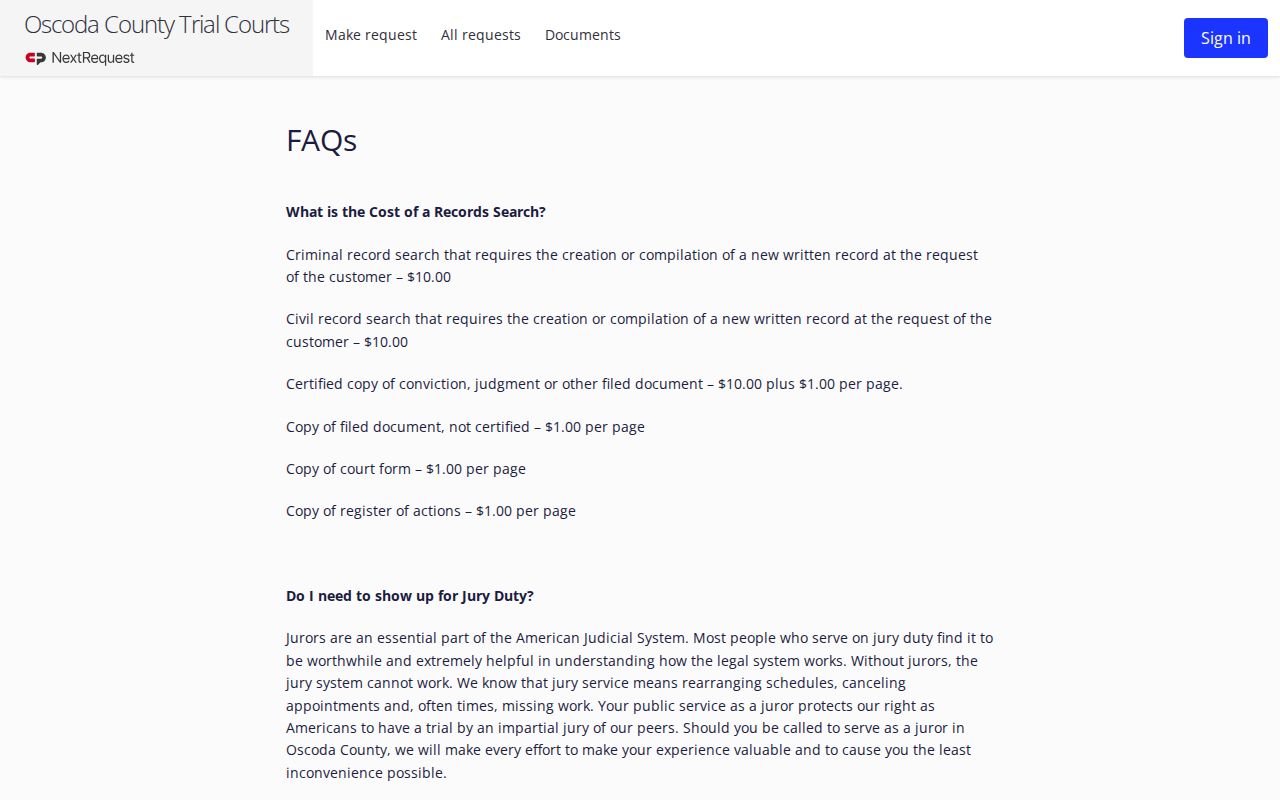
The FAQ backs up a copy request once the case history points to the document or calendar entry that needs confirming.
Oscoda County Court Calendar Remote Check
Remote participation depends on the case. Michigan civil-infraction rules permit an in-person appearance, allowed representation, videoconference, or mail where circumstances fit. Yet a phone call alone is not an ordinary appearance. A call can still get you the date or instructions. Never read remote availability into a docket row. Never lean on a stale meeting notice or a general line about court technology.
For any Oscoda County court calendar question, ask the court named on the citation, order, or case history. Ask whether a remote option fits that setting. The public record may list the date and room. It may say nothing about how to appear. Keep the order and the latest docket entry handy when you call.
Note: the county publishes no countywide text or email court-date reminder program.